
Check your email for the code (Please check your spam mail as well)
1. Open your Steam, go to your profile and select View My Wallet.
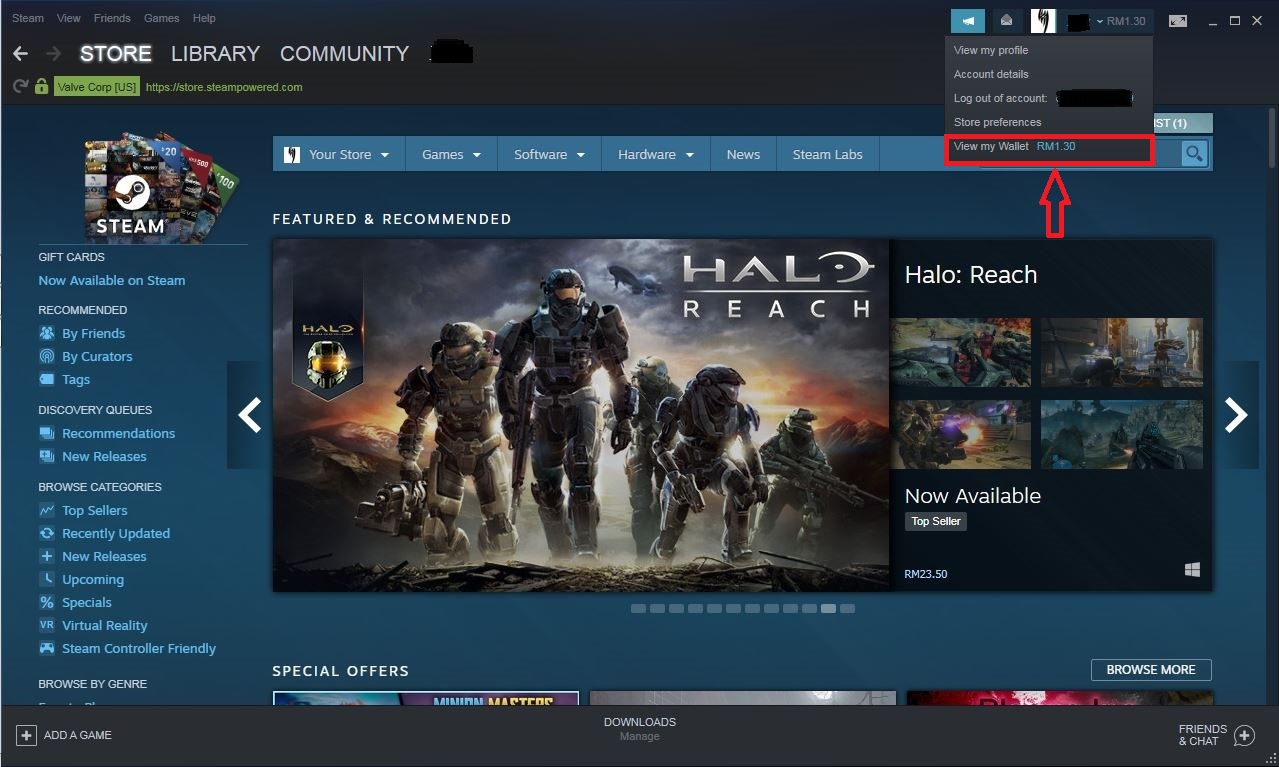
2. Click on the Redeem a Steam Gift Card or Wallet Code.
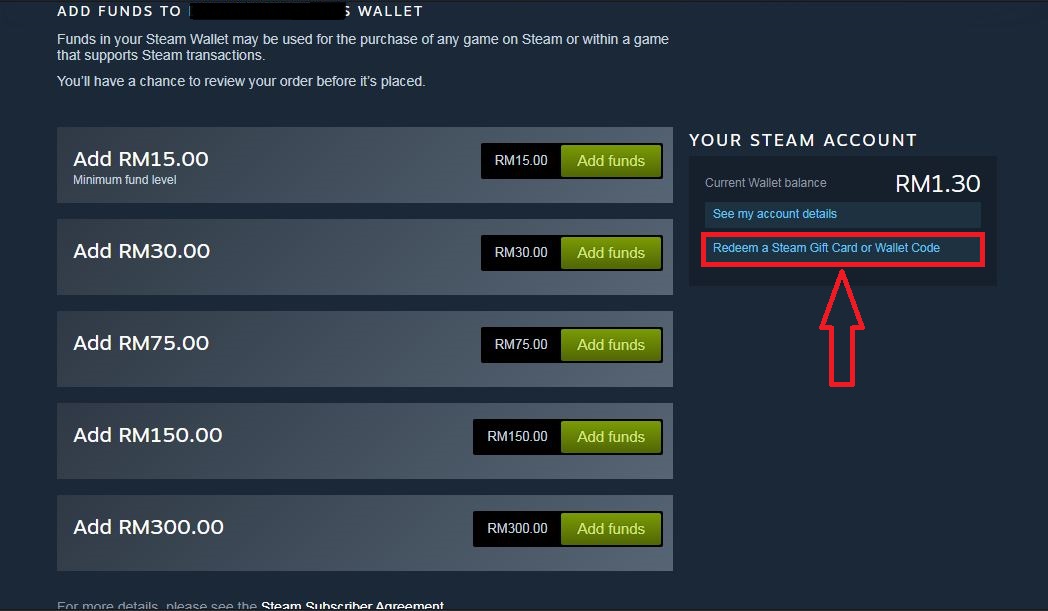
3. Enter your code voucher in the Steam Wallet Code column. After you done, press Continue.
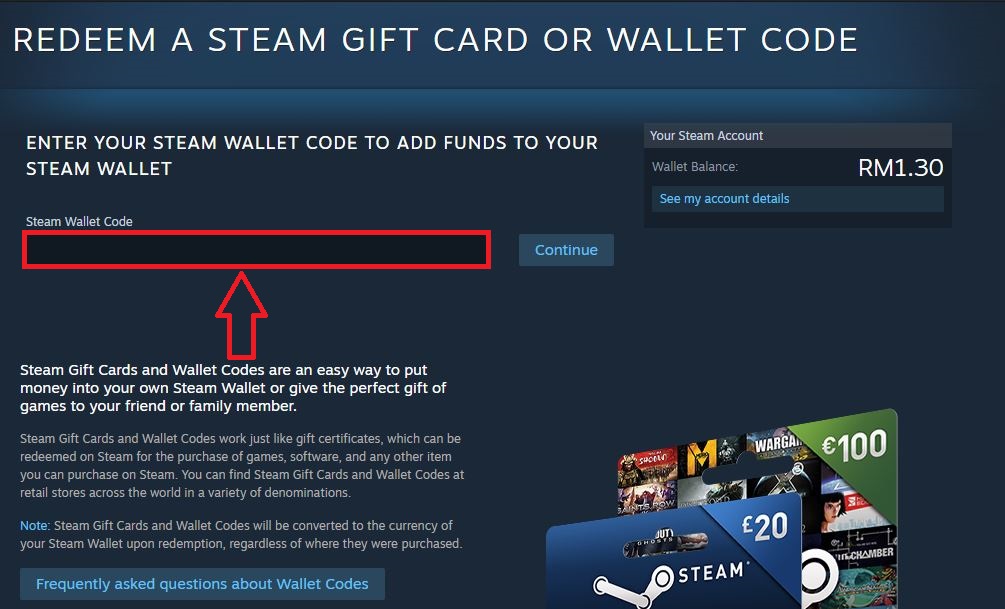
You have successfully redeemed your Steam Wallet Code! Enjoy playing your favorite games now!
Top Up Steam Wallet Code fast and cheap!
It's easy! Just fill in the ID, select the desired denomination, complete the payment, and Steam Wallet Code will immediately send to your email!
Can pay via Touch'n Go, Vcash, Boost, GrabPay, Affin Banks, Alliance Online, Ambank, Bank Islam, Bank Rakyat, Cimb Click, Hong Leong Connect, Maybank2U, RHB Now, UOB Bank, HSBC Online Banking, Kuwait Finance House, MyBSN, Public Bank Online.
Top Up can also be done without a credit card, registration, and login through UniPin(the best way to buy/reload Steam Wallet Code).
About Steam:
Steam is a digital distribution platform for PC video games developed by Valve Corporation. Steam provides a variety of features, such as automatic installation and updating of video games, communities, and voice chat. You can also restore games that are not in accordance with the Steam Refund feature. Find a variety of interesting games like Dota 2, Counter Strike: Global Offensive, Warframe, Team Fortress, GTA V, and many more, only on Steam.
Buy Steam Wallet Code on UniPin now!
Comments
0 comments
Please sign in to leave a comment.