
Follow these easy steps to make transactions using Bank Rakyat:
1. Visit www.UniPin.com and choose game to Top Up with.

2. Input your User ID.
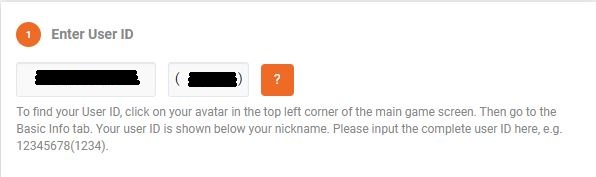
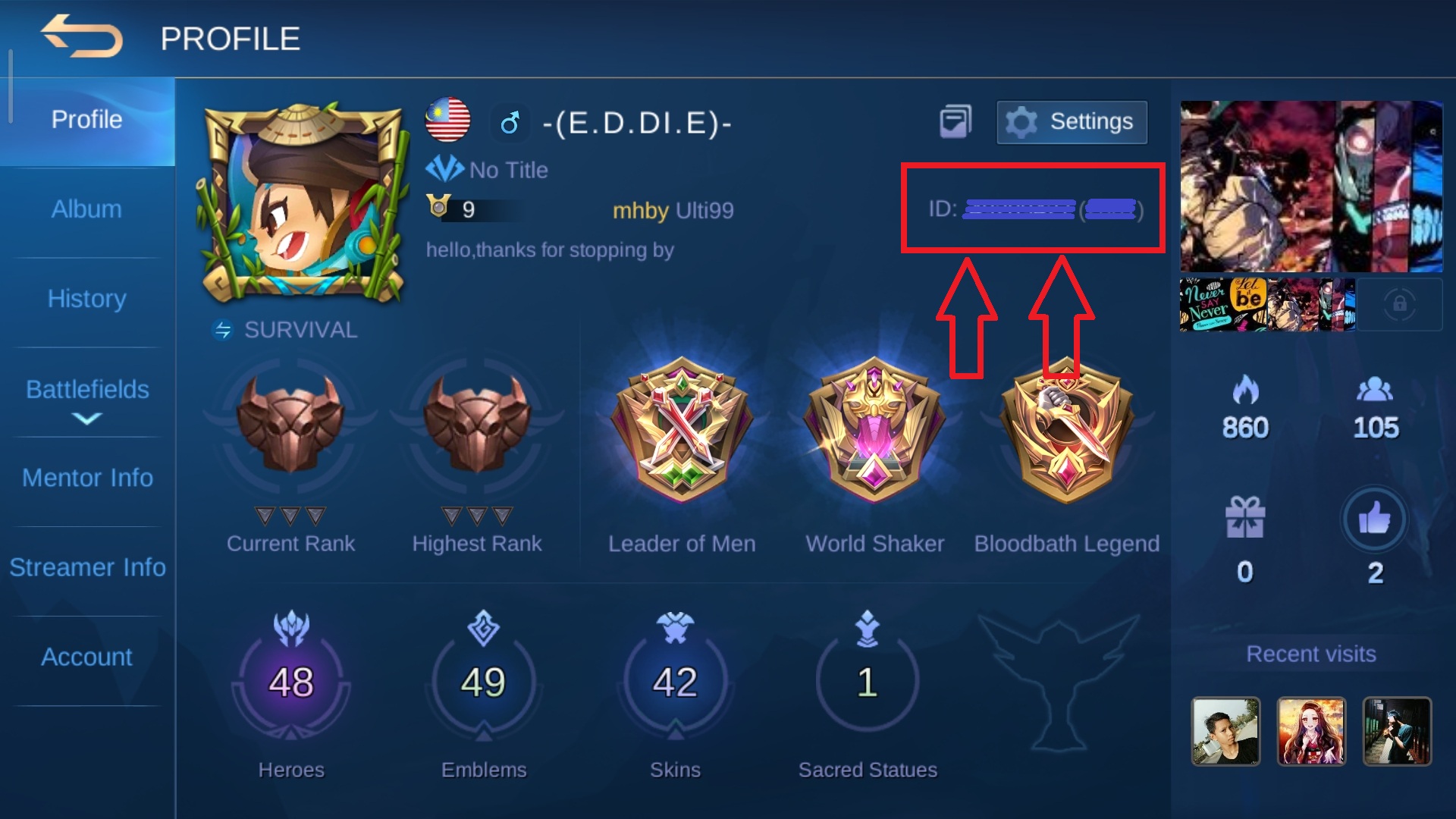
User ID also can be found in game profile.
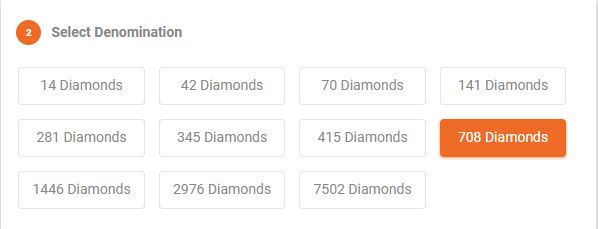
3. Choose desired denomination.
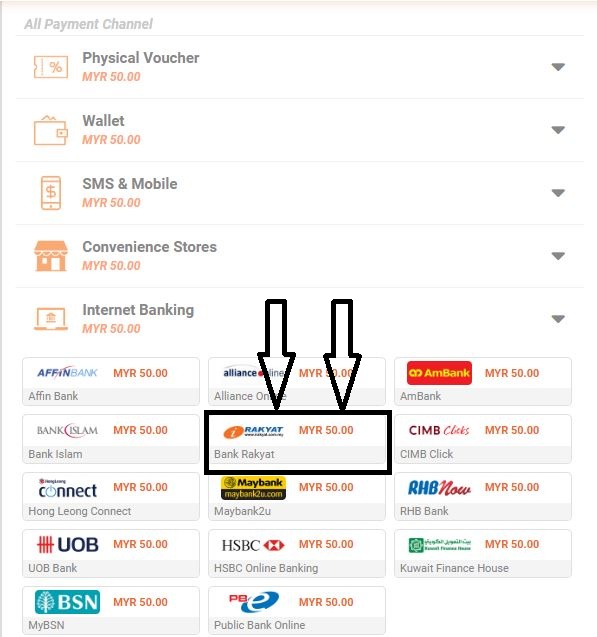
4. Select Internet Banking payment channel and choose Bank Rakyat.
5. Insert your email.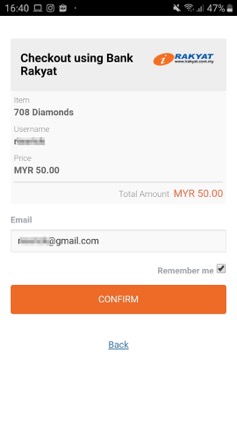
6. Check the Terms and Condition checkbox, then press Proceed to complete your payment.
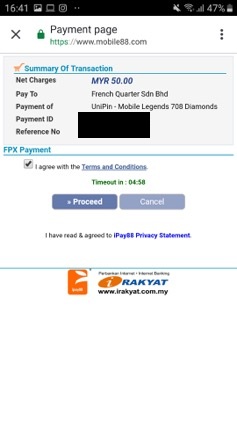
7. Complete your Internet Banking payment in Bank Rakyat site.
8. Your transaction is processing and the item will send to you after payment successful.
Comments
0 comments
Please sign in to leave a comment.